Sunday, 2 September 2018

Game Jam 2018 Day 3

The game jam is finished, it went well, but it took me a long time to get the games published, sorry.

The girls finished their Armour of God game (click image to see full sized).

Daniel built a similar platformer game, but themed on a Shepherd looking for his lost Sheep.

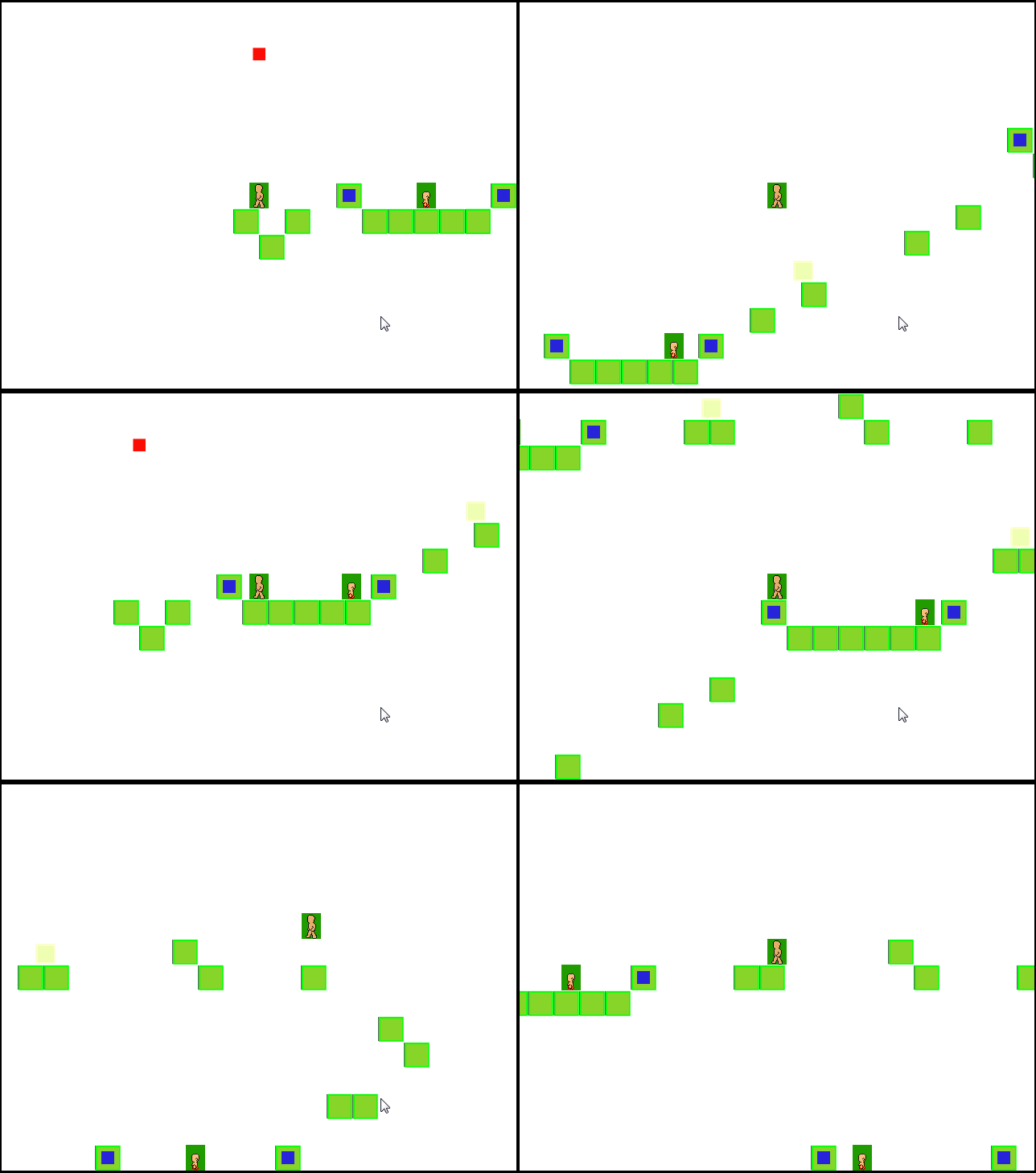
And my Bible Smuggling game:

You can find the games to play on itch.io


All games are web playable, and most are playable on mobile (I think).

Enjoy,
Mark

Wednesday, 8 August 2018

Game Jam 2018 Day 1

So, it seems that my last post was a year ago, when we did a game jam in July.
I have been doing a lot of stuff at work (which I cannot share, but it is A M A Z I N G). A few game jams, including this one: https://playingfield.cc/gallery/

But the main reason for writing was to talk about this years kids jam.
Again its 3 days, using Construct 2. As a new inspiration I was talking to a lady in church and she was asking about Christian Computer games, and I thought "Why not?" so that was the topic for this years game jam.

The girls are on a platformer around collecting the Armour of God. Its only the basics for now, but it coming on.

Daniel is also on a platformer, this one about a shepherd looking for lost , but he seems to have got the graphics coming along nicely.


I'm working on a stealth game based upon bible smuggling. Its early days and the AI is pitiful, but I should be able to get it better.


So Day 1 complete. We started late, so thats only 8 hours work. I'm personally finding Construct 2 to be quite clumsy, but thats what happens when you switch tools.
Not a bad days work.

Friday, 28 July 2017

Three Day GameJam: Day 3

The game jam is over (just about). Carmen is still struggling to get the last bits of the girls game ready.  There were a lot of last minute changes: mainly art, and deciding to put the menu in and so on. So they are running late.
Mid morning Daniel hit the max 100 event limit on Construct 2-Free Edition, but it turned out he had been copy-pasting a lot of events everywhere, so when he went back and tidied up his code it was only 80 events.
Myself as the Game Jam veteran (I think its about 5 jams), had art and sound finished by lunchtime, then finished off the with menu and final game balancing. Which I must say actually went very well.

Results, Noon

Lots of art changes in the platformer which was undergoing a total change in direction as the girls argued on a new name

The battle animals gained a name 'Save The Forest' and became fully 2 player.

Space Battler actually has proper graphics and now looks like a real game (if a little hectic)

Results, End of Day

The girls decided to rename their game Shadows of 'Deceipt' and Carmen wrote a massive storyline for it (because she's Carmen)

Save the Forest added a sound and music and a title screen

Space Battler now has a menu with difficulty levels and the game starts slow but gets hard quickly, thanks to the Danger Rating (tm) system.

Conclusion

It has a fun 3 days. Will post feedback from the kids later.
The games are up on Itch.io (which turned out to be really easy to do) and you can play them.
Next time, it might be only 2 days, and we might consider inviting some friends, but that's probably not for a while yet.

Three Day GameJam: Day 2

Day 2

All told, day 2 was just dull. I lot of time was spent on getting the art ready, but not much progress was done otherwise. Daniel and I spend a lot of time working on our tech issues, which seem to take most of the day.
We also forgot the midday screen captures, so there is only the end of day results.

Results, end of day

Lost Treasures 2 now has a good chunk of art, and the worlds largest score.

Battle Animals now has proper images and a bit of animation

Space Battler still has no real graphics (on purpose), but now has 5 different ship types

All that remains is to wait for Day 3...

Wednesday, 26 July 2017

Three Day GameJam: Day 1

Its summer holidays, what can I do to keep the kids busy?

This time, I'm trying something new, a Game Jam.

The basic rules are: Build a game with Construct 2 working 9-5 Wednesday, Thursday, Friday.

Day One is now complete, here is the progress so far. I deliberately kept the kids focused on gameplay not wasting time working on artwork. So they look rubbish, but you can see the gameplay.

There are 3 games being worked on:

  • Margaret is working on Lost Treasures 2 (the original was build 5 years ago). Its a simple platformer which allows her to work quickly.
  • Daniel is working on a game like battlecats. He spent most of the day getting basic battle mechanics to work
  • I am working on a space themed lane war game. I'm discovering a lot of flexibility in construct-2 as I'm trying to build something more complex than ever before.

Results, Midday

Lost Treasures 2, platformer with spikes and re-spawns

Battle Animals, battle with knockback

Space battler, just a ship flying and shooting at targets when the get within range.

Results, End of Day

By end of day 1 most groups have the core mechanics working:

Lost Treasures 2: Pickups, Enemies and lots of levels (not shown)

Daniels game: auto spawn of enemies, ghosts on death, base health and money. A lot done.

Space Battler: Both sides spawn and shoot. Health bars for both teams, and an ugly yellow explosion when ships collide.


So Day 1 is over, good work done by all, lets see what happens on Day 2


Saturday, 4 March 2017

MakerClub reworking a buzzwire to work with a MicroBit

Its been a year and a half since my last post, wow!

I could give you an update on joining the game industry as a professional developer (yah!) and the other stuff I have been up to.

But for now, a side topic: Maker Club

I have been helping out at the Eagle Labs Maker Club in central Brighton on a Saturday morning.
Last week we finished a buzzer game project, but the project uses a MakerClub specific micro-controller (Hornet Board).

When Daniel brought home his game (a few months back), we figured out how to get it working with the BBC MicroBit which we had lying around.

So here is a article on how to use a MicroBit with the buzzwire project:


Reworking buzzwire to work with a microbit

The project assumes that you have already built your MakerClub project, and its a non-programming project (using drag-drop blocks). But its an interesting little make.

I might be posting another one soon.

Mark

Monday, 31 August 2015

Using a raspberry pi to stream/download iplayer files

Necessity is the mother of invention, and when I was talking with my father about the trials of recording radio programs on the PC, then converting them to MP3 files for listening to later, we discussed and said that the best solution would be to have a Raspberry Pi quietly sitting around and downloading the files for you.  After spending an unfruitful afternoon with a Pi and a USB-DAB device, I wondered if I could get the radio shows off the iplayer instead.  I quick google later said I could, and a couple of afternoons later I had it working well.  So this is what I did.

Setup of the Raspberry Pi

I took a new Raspberry Pi (a B+, but I’m certain a B will work), installed Raspbian (using NOOBS) and setup the Wifi, which was a simple task.  The setup of the get_iplayer software was not so easy, but I eventually found https://github.com/get-iplayer/get_iplayer/wiki/raspbian which explained it excellently.  Once I had got get_iplayer active, I turned my attention to the web-pvr interface.

As I envisaged not having to login to the Pi, I set the web interface to accept connections from anywhere:
sudo nano /etc/default/get_iplayer_web_pvr
set
LISTEN=0.0.0.0
Warning: the web-pvr has a note saying its not very secure, so should only be used on internal (safe) environments and never facing the internet.

By default get_iplayer downloads tv as mp4, but radio as aac, so I needed to change that option.  For neatness I wanted to put all the files in one place (/home/pi/iplayer_media), and tidy the naming, so I used the following commands:
get_iplayer --add-prefs --aactomp3
get_iplayer --add-prefs --output "/home/pi/iplayer_media"
get_iplayer --add-prefs --file-prefix "<nameshort><-senum><-episodeshort>"
At this point, I could just run the get_iplayer_web_pvr and leave it, but rather than do that I wanted it started whenever the Pi booted up. To do this I found that editing rc.local was simple and worked.
sudo nano /etc/rc.local

just before exit 0 add:
su pi -c 'get_iplayer_web_pvr &'
All I needed to do was reboot the pi and I was ready to go.

Using the PI

Using my windows machine I opened up my browser and went to http://ip_address_of_the_pi:1935 I was greeted by the web UI


I enabled the BBC radio checkbox & click the refresh cache button. It opened a new window which updated the cache.


I then entered my search terms & hit the search button.

Once I got the results, I could have listened to the shows directly.  Clicking on the ‘play’ action gives me a m3u file which I can open with VLC or MPC-HQ (windows media player didn’t work for me though).  If you do, it seems to stream via the Raspberry Pi.


But what I wanted was offline playing, so I selected all the items and hit the record button.


THIS WAS SLOOOW. It downloaded the files (in some format) and then had to run ffmpeg to convert them to mp3 files which was rather slow.  I estimate it must have taken 10-15 minutes to perform the conversion.  But again, it was in a separate window, so I could still carry on.

A look about on the BBC TV side & I found an episode of the Clangers (how can you not like the Clangers?), so clicking on the Record link popped up another window to record that.  The TV recordings did not have to be converted it appears, as the time taken was very fast.


Once all the downloads were finished, I clicked on the recordings tab and saw all my downloads:


Clicking on the play/play direct gave me the m3u files, but a ‘right click->save as’ will allow you to get the mp3/mp4 file, though you will need to name it yourself, as it gives it a garbage name.


As an alternative, you can use WinSCP or a similar SFTP client to copy files directly from the Pi.

Conclusion

I could have installed the get_iplayer directly on my PC, but it would have needed to install lots of dependencies on my PC too.  At $50, this is an idea task for a Raspberry Pi.  Now, all I have to do, is keep an eye on the iplayer for when Doctor Who get posted up.

Happy Watching/Listening,
Mark